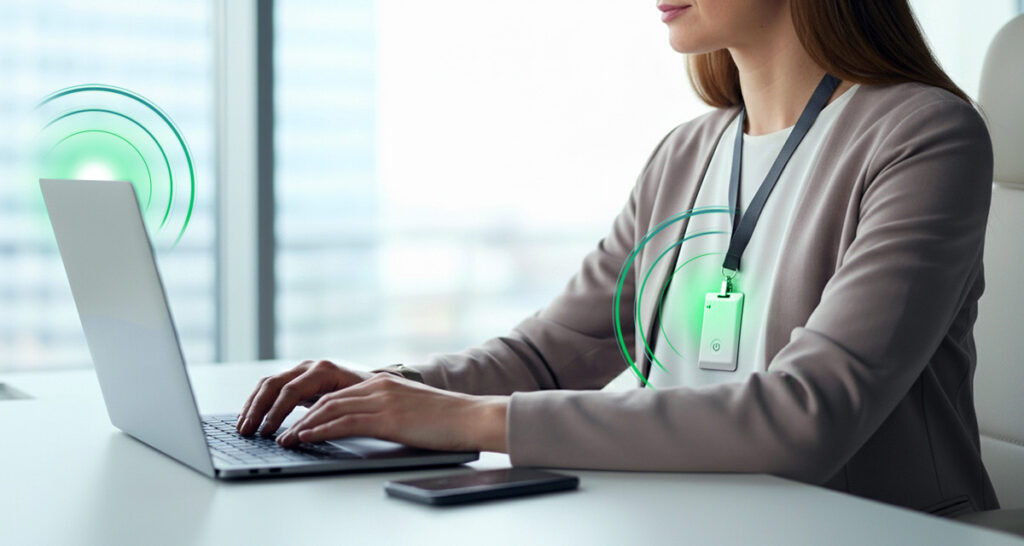
Tap-and-go card sign-in is a fast access method that identifies the card presented at a reader, not the clinician holding it. That was the right trade when speed mattered most, but it leaves shared cards, sessions that outlive the clinician, and audit trails that point at a card. Policy changes narrow the gap today, and presence-aware sign-in with a live biometric closes it further.
- A tap-and-go card is a bearer token, so the workstation authenticates whoever holds it, and the session can outlive the clinician who started it.
- Tap-and-go was a correct availability decision, because clinicians move between shared workstations under time pressure and cannot wait on passwords.
- HIPAA requires procedures to verify that a person seeking access to electronic protected health information “is the one claimed” (45 CFR 164.312(d)).
- When an investigation asks who was at a terminal at 03:14, a card record may only show whoever had the card.
- Inventory, a one-card, one-person rule, and audit-trail tests tighten the gap with the cards you have today.
Why was tap-and-go the right decision?
Tap-and-go was right because it protected the thing healthcare cannot compromise: fast access to care. Clinicians in emergency departments, ICUs, pharmacies, labs, and operating rooms share workstations across 12-hour shifts. They move between them continuously, and even a short delay has real patient-care consequences.
Passwords failed that test. They are slow to type, hard to remember under stress, and easy to write on a sticky note. When a system is not designed for the clinical environment, staff stay signed in, share credentials informally, and work around the rules. That is rational behavior, not negligence.
A card that opens a session in a second or two solved the speed problem. It is reasonable to say the design was correct for the problem it was solving. The question is what it leaves unanswered.
Where is the gap in a tap-and-go card?
The gap is that the workstation authenticates a card, not a clinician. Three things follow from that.
- The card is a bearer token. Whoever holds it can use it. Cards get shared at shift change, propped in the reader so a session stays open, or handed to a colleague who is in a hurry. None of these is malicious, and all of them break the link between the card and the person.
- The session outlives the clinician. If the clinician walks away, the session usually stays open until a timeout fires. Timeouts are a guess about absence. Short timeouts interrupt care, and long ones leave sessions open for anyone nearby.
- The audit trail points at a card. The record says a card was used, not that a specific clinician was present. When an investigation asks who was at a terminal at 03:14, the honest answer may be “whoever had the card.”
The HIPAA Security Rule sets the standard these gaps get measured against.
HIPAA requires procedures to verify that a person seeking access to electronic protected health information “is the one claimed” (45 CFR 164.312(d), Person or entity authentication).
The same section requires unique user identification, which assigns “a unique name and/or number for identifying and tracking user identity,” and audit controls that “record and examine activity” in systems holding ePHI. Automatic logoff after “a predetermined time of inactivity” is an addressable specification. A card that is shared or left in a reader makes each of these harder to demonstrate. A proposed update to the Security Rule is under consideration, covered at proximia.com/hipaa-security-rule-update/. The current rule is what applies today.
What can you do with the cards you already have?
You can narrow the gap with policy and configuration before changing any technology. These steps cost little and apply to any tap-and-go system:
- Inventory your shared workstations. List which units use them, how many clinicians share each one, and how long sessions stay open.
- Write a one-card, one-person rule. State clearly that cards are not shared, not left in readers, and not handed over at shift change. Enforce it with unit leaders, not only with IT.
- Tighten timeouts where risk is highest. Pharmacy, medication ordering, and other sensitive areas may justify shorter logoff settings. Balance each against clinical workflow with the unit’s input.
- Re-verify for high-risk actions. Ask for a fresh check before sensitive steps, such as controlled-substance requests, instead of relying only on the original tap.
- Test your audit trail. Pick a workstation and a time at random and ask whether your logs can show who was present. If the answer is a card number, you have found your gap.
- Define lost-card handling. Make sure a lost or found card is reported and deactivated quickly, and that staff know how.
None of these changes the underlying fact that a card is a bearer token. They reduce how often that fact matters.
How does presence-aware sign-in add per-person audit?
Presence-aware sign-in binds the session to a verified person and ends it when that person leaves. A clinician signs in with a live biometric, and the user’s own XiFi Card must be within proximity. Sign-in takes about two seconds. A stolen or found XiFi Card cannot unlock anything without the user’s biometric.
After sign-in, the card’s proximity keeps the session open. When the clinician moves out of range, the workstation locks within seconds, at a distance and timing the organization sets. Signing back in requires the biometric again. The principle is walk up work, walk away lock. Because the XiFi Card is a physical card, it works in clinical areas that restrict personal phones.
The audit side follows from the design. Each sign-in is tied to one person and one event, so the record can show who was present, session by session. That supports the per-user, per-event attribution that HIPAA and DEA reviews look for. It also works alongside existing Active Directory and Entra ID.
Some limits are worth stating. Proximia secures the workstation used to reach records and request dispensing, not the dispensing cabinet’s own built-in reader. It does not replace role-based access controls inside the clinical applications. And for web sign-ins to federated applications, the application controls the session after authentication.
Single-user desktops matter just as much as shared ones. A physician’s dedicated office PC, a revenue cycle analyst’s desktop, or a radiology reading station has the same exposures. A session can outlive the person, and a credential can be stolen. The same approach applies.
If your interest is in funding for this kind of work, Proximia’s article on rural health programs is at proximia.com/healthcare-shared-workstation-authentication-rhtp/. To see how presence-aware sign-in works on your own clinical workstations, schedule a demo at proximia.com/contact-us.
Frequently Asked Questions
Is a tap-and-go card a security problem?
Not in itself. It solves a real availability problem. The gap is that it identifies a card, so shared cards, cards left in readers, and open sessions weaken the link to a specific clinician.
Does presence-aware sign-in slow clinicians down?
Sign-in takes about two seconds, which is faster than typing a password. After that, no extra action is needed until the clinician walks away.
What happens when a clinician leaves the workstation?
The workstation locks within seconds once the user’s XiFi Card moves out of the range the organization has set. Returning requires the biometric again.
Does it only apply to shared workstations?
No. Dedicated single-user desktops have the same gaps. Presence-aware sign-in applies to both.
Does this make an organization HIPAA compliant?
No product makes an organization compliant on its own. Proximia supports HIPAA compliance requirements by tying each session to a verified person and producing a per-session record.
Sources
- “45 CFR 164.312, Technical safeguards,” Electronic Code of Federal Regulations, read October 15, 2026. https://www.ecfr.gov/current/title-45/subtitle-A/subchapter-C/part-164/subpart-C/section-164.312