
CJIS Advanced Authentication is the Criminal Justice Information Services requirement to combine two or more different kinds of proof before someone reaches criminal justice information. For courts, that means two distinct factor categories, such as something you have and something you are, at every workstation that touches that data. The hard part is meeting it on shared clerk terminals without disrupting the case-management systems already in place.
- CJIS Advanced Authentication requires at least two distinct factor categories: something you know, have, or are, and the FBI says a code delivered to the device being unlocked does not meet it (FBI, CJIS Security Policy Use Cases).
- Since October 1, 2024, pre-modernization and Priority 1 requirements have been sanctionable, so this is current-cycle audit work, not a future deadline (CJIS Security Policy v6.1, Section 1.4).
- Shared clerk workstations, limits on personal phones, and RDP access for judges and remote staff are the usual reasons court rollouts stall.
- Biometric plus XiFi Card authentication is designed to meet CJIS Advanced Authentication requirements without a personal phone, and it works beneath existing case-management software.
What Does CJIS Advanced Authentication Require?
CJIS Advanced Authentication requires two or more distinct factor categories for anyone accessing Criminal Justice Information (CJI), and the current policy is version 6.1 (FBI, 2026).
The policy recognizes three factor categories: something you know, something you have, and something you are. Advanced Authentication combines at least two. Earlier versions placed it at Section 5.6.2.2. Version 6.1 was reorganized to follow the NIST control families, and its index lists multi-factor authentication to privileged accounts as IA-2(1) and to non-privileged accounts as IA-2(2). This article refers to the requirement by name, so check the control text itself with your CJIS Systems Agency.
Beginning October 1, 2024, requirements that existed before modernization (version 5.9) and those marked Priority 1 are the sanctionable set (FBI CJIS Security Policy v6.1, Section 1.4).
The FBI’s Use Cases document, written against the earlier Section 5.6.2.2 numbering, shows how this plays out. Acceptable examples include a hardware-token code, a smart card with a PIN, a code texted to an agency-issued phone, and a fingerprint check, each combined with another factor. A one-time code that pops up on the same laptop being unlocked does not, and neither do knowledge-based questions.
This trips up many court IT teams. One shared sign-in account used by several clerks across a shift also falls short of good practice, because it ties no action to a named person.
Compliance is assessed at the agency level by state and FBI auditors, not certified at the vendor level.
Why Shared Court Workstations Make This Harder Than It Sounds
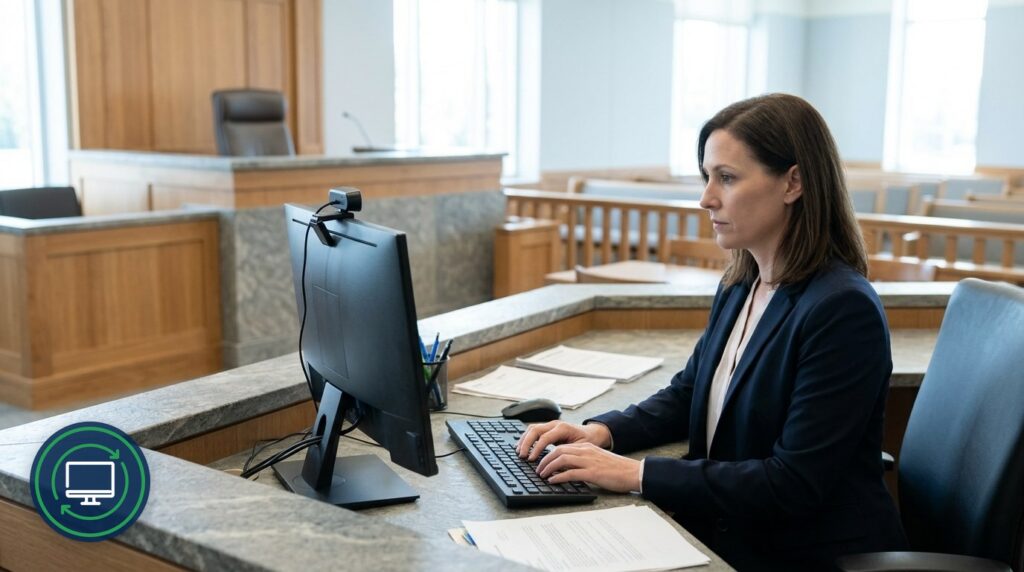
Courts run on shared clerk terminals by design, and many passwordless tools assume every user carries a personal phone, which breaks down in some court environments.
Clerks rotate through terminals across a shift, stepping away and returning. Some courts cannot require personal smartphones for MFA under union rules, which rules out passwordless options that depend on a phone-based push or code.
Court IT teams are also typically lean, and the case-management platforms courts run on, such as Tyler Technologies’ Odyssey, are long-established systems that are difficult to replace. A standard password-plus-MFA setup handles this poorly: staff share passwords and leave sessions unlocked, or constant re-authentication slows casework.
Single-user desktops, such as a judge’s chambers computer or a remote staff member’s PC reached over RDP, need the same two factor categories even though they are not shared.
What Public Court Sources Say About Recent Incidents
Courts have reported cyber incidents in the past two years, and the public sources do not state how the intrusions began.
- Superior Court of Los Angeles County, July 2024. The court’s release states a ransomware attack was first detected on Friday, July 19, 2024. The court closed its 36 courthouses for one day on Monday, July 22, 2024, to restore systems.
- U.S. federal judiciary, August 2025. The Administrative Office of the U.S. Courts announced stronger cybersecurity measures after “recent escalated cyberattacks of a sophisticated and persistent nature” on its case management system, including tighter handling of sensitive documents (U.S. Courts, August 7, 2025).
Neither source describes the initial access method, so this article cites them only as context for why auditors look closely at how staff sign in.
What Courts Can Do Now
Courts can close most Advanced Authentication gaps in a few steps, none of which requires replacing the case-management system.
- Inventory the paths. List every workstation, RDP session, and remote route that touches CJI, and confirm with your CJIS Systems Agency which are in scope.
- Map each path to two factor categories. Check that the second factor is not delivered to the device being unlocked, using the FBI use cases as a reference.
- Retire shared sign-in accounts. Give each clerk an individual identity so every action ties to a named person.
- Lock sessions when staff step away. Set and test a short lock time so a terminal left at shift change does not stay open.
- Document it. Record in your audit file how each path meets Advanced Authentication, and keep the supporting sign-in records.
- Roll out in phases. Move one department at a time so a lean IT team avoids a single high-risk cutover.
How Continuous, Presence-Aware Authentication Fits the Requirement
Biometric plus XiFi Card authentication is designed to meet CJIS Advanced Authentication requirements: two factor categories, with the second on a physical device separate from the workstation.
The XiFi Card is a physical proximity device separate from the workstation, and it works alongside a live biometric. Biometric matching happens locally, and raw biometric images are never stored or transmitted. The biometric is checked at sign-in; the XiFi Card provides continuous proximity. With Proximia, no user-known password exists, and a lost XiFi Card cannot unlock anything without the biometric.
Biometric sign-in takes roughly two seconds, up to 18 times faster than a typical password-and-push MFA flow (Proximia internal testing, benchmarked against published timing studies).
Proximia’s architecture meets CJIS Advanced Authentication requirements. CJIS compliance itself is assessed at the agency level, so avoid the shorthand “CJIS certified.”
Continuous Session Protection locks the session within seconds of a clerk stepping away, at a distance and timing the organization sets. Because authentication happens at the Windows workstation sign-in layer, it works seamlessly with most court line of business applications, including case-management platforms like Odyssey, without modifying that software. That assumes the application runs natively on the protected workstation. If it is reached through a browser via SAML or OIDC federation, that session carries the same point-in-time limitation any browser-delivered application has, so confirm it first.
The XiFi Card is not a personal phone, so it fits around smartphone restrictions. Per-session audit logs can support an agency’s CJIS audit documentation. Proximia does not replace the case-management system or an agency’s own audit process.
What This Means for Courts Today
The requirement is already in effect, so closing this gap is current-cycle work, and it does not need a rip-and-replace project.
Proximia integrates with a court’s existing Active Directory and can roll out by department. Kings County Superior Court in Hanford, California deployed this way for roughly 100 staff, with XiFi Card and Proximia Authenticator app, a phased rollout, and RDP access included. Jorge Lopez, the court’s Director of IT, said: “No more passwords, it’s easier, and it’s more secure. What more could you ask for?”
For more on Proximia in courts, see our California courts page, and to estimate the sign-in time your staff could recover, try the time savings calculator. To see how Proximia meets CJIS Advanced Authentication requirements without a personal phone, schedule a demo at proximia.com/contact-us.
Frequently Asked Questions
Does Advanced Authentication apply at workstation sign-in, or only for remote access?
The policy applies to access to CJI, and scope for each access path is set with your state’s CJIS Systems Agency. The modernized policy lists multi-factor authentication for privileged accounts (IA-2(1)) and non-privileged accounts (IA-2(2)), so it is prudent to plan for workstation sign-in, RDP, and remote access together.
Can Proximia work with our existing case-management software, like Tyler Technologies' Odyssey?
Yes, in most deployments. Proximia authenticates at the Windows workstation sign-in layer, beneath the case-management software, so it typically does not require touching that software. If the system is reached through a browser via SAML or OIDC, confirm coverage first.
Our staff cannot use personal phones for MFA under union rules. Does that rule out passwordless authentication?
It rules out options that depend on a phone-based push or code. The XiFi Card is a proximity device that is not a personal phone, so it suits those environments.
Is Proximia CJIS certified?
No. CJIS compliance is assessed at the agency level by state and FBI auditors, not certified at the vendor level. The accurate claim is that Proximia’s architecture meets CJIS Advanced Authentication requirements.
How long does deployment take for a lean court IT team?
Proximia’s technical overview describes initial configuration of a workstation as typically under two hours, and biometric enrollment plus XiFi Card provisioning at about six minutes per person. Rollout can be phased by department with no rip-and-replace; confirm timing for your environment with the Proximia team.
Sources
- FBI, CJIS Security Policy Resource Center (current version 6.1). https://le.fbi.gov/cjis-division/cjis-security-policy-resource-center
- FBI, CJIS Security Policy, Version 6.1, dated June 25, 2026 (Section 1.4 on sanctionable requirements; index entries IA-2(1) and IA-2(2) for multi-factor authentication). https://le.fbi.gov/file-repository/cjis_security_policy_v6-1_20260625.pdf/view
- FBI, CJIS Security Policy Use Cases (Advanced Authentication examples, written against Section 5.6.2.2 of an earlier policy version), undated. https://www.fbi.gov/file-repository/cjis-security-policy-use-cases.pdf
- Superior Court of California, County of Los Angeles, news release on the court closure after the ransomware attack, July 21, 2024. https://file.lacounty.gov/SDSInter/lac/1164426_NR7212024-COURTCLOSEDTOMORROWASWORKCONTINUESTOGETSYSTEMSBACKONLINEAFTERRANSOMWAREATTACK.pdf
- Administrative Office of the U.S. Courts, “Cybersecurity Measures Strengthened in Light of Attacks on Judiciary’s Case Management System,” August 7, 2025. https://www.uscourts.gov/data-news/judiciary-news/2025/08/07/cybersecurity-measures-strengthened-light-attacks-judiciarys-case-management-system/
Written by the Proximia Security Team. Product details in this article are checked against Proximia’s technical documentation, built with input from our engineering team. Industry statistics are cited to their original sources.