
Authentication total cost of ownership is the full cost of running an authentication platform, including licensing, infrastructure, support, and lost user time. Most vendor TCO models count only the first two. The larger and less visible cost is friction: password resets, repeated prompts, enrollment, and account recovery. In most organizations, that friction, not infrastructure, is where authentication spending actually goes.
Key points
- Password-related issues account for 20 to 50 percent of all help desk tickets in the average enterprise (Gartner), and a single reset costs roughly $70 in help desk labor (Forrester).
- Cloud delivery lowers infrastructure cost, but it does not reduce how often a user gets interrupted.
- A field study of live corporate sign-ins measured password plus one-time code at 21.59 seconds on average (Lassak et al., SOUPS 2025).
- Cutting the number of prompts, rather than moving those prompts to the cloud, is what changes the cost curve.
What authentication TCO models actually count
Most authentication TCO models measure the parts of the system that appear on an invoice. They compare licensing tiers, count servers that no longer need racking, and credit the buyer for hardware they will not purchase. Those numbers are real, and they are also the easy ones.
What the models leave out is everything that happens after deployment. Nobody prices the reset queue, the enrollment support, the second authenticator a user carries because the first one does not cover every system, or the minutes lost each time a session closes and has to be opened again. Those costs land on the help desk and on the workforce, so they never appear in the procurement comparison.
The result is a business case that measures the smallest part of the spend. A platform can cut infrastructure cost substantially and still leave the larger cost untouched, because the larger cost was never infrastructure.
Why friction is the larger line item
Friction is the biggest authentication cost in most organizations, and it is measurable. Password-related issues account for 20 to 50 percent of all help desk tickets in the average enterprise (Gartner). At a widely cited average of roughly $70 in help desk labor per reset (Forrester), a mid-sized organization handling a few thousand resets a year is spending six figures on a problem no line item names.
Then there is the time the workforce spends signing in. A five-week field study of live corporate sign-ins at a mid-sized IT services company measured the real duration of each method.
Password plus one-time code took 21.59 seconds on average, measured on production sign-ins rather than in a lab (Lassak et al., SOUPS 2025, USENIX).
Twenty-two seconds sounds trivial. Multiply it across every user, every shared workstation, and every session that closes when someone steps away, and it stops being trivial. In shared-workstation environments such as courts, clinical floors, and control rooms, the same person signs in many times a day, and each one is a full sign-in rather than a resumed session.
Why modern tools still generate interruptions
Moving authentication to the cloud changes where the platform runs, not how often it asks the user for something. The interruption is a design property of prompt-based authentication, and cloud delivery does not touch it.
Four things keep generating tickets regardless of how the platform is hosted:
- Multiple authenticators. A workstation uses one method, a phone uses another, and certain systems require their own enrollment.
- Enrollment and re-enrollment. Every new device, replacement phone, or role change starts the process again.
- Recovery flows. A lost or reset device turns into a multi-step, identity-proofed help desk interaction.
- Repeated prompts. Each timeout, each new system, and each session that closes produces another approval.
There is a security cost to this as well, not only an operational one. When users are prompted constantly, they stop reading the prompts. 1 in 3 users approve fraudulent MFA prompts when distracted (Microsoft Security Research). Prompt fatigue is what turns an authentication control into an attack path, and every additional prompt makes it more likely.
What changes when the prompt disappears
The cost curve changes when authentication stops asking. Proximia® is a persistent, presence-aware authentication platform, and the practical difference is that a user authenticates once and then is not interrupted again for the length of the session.
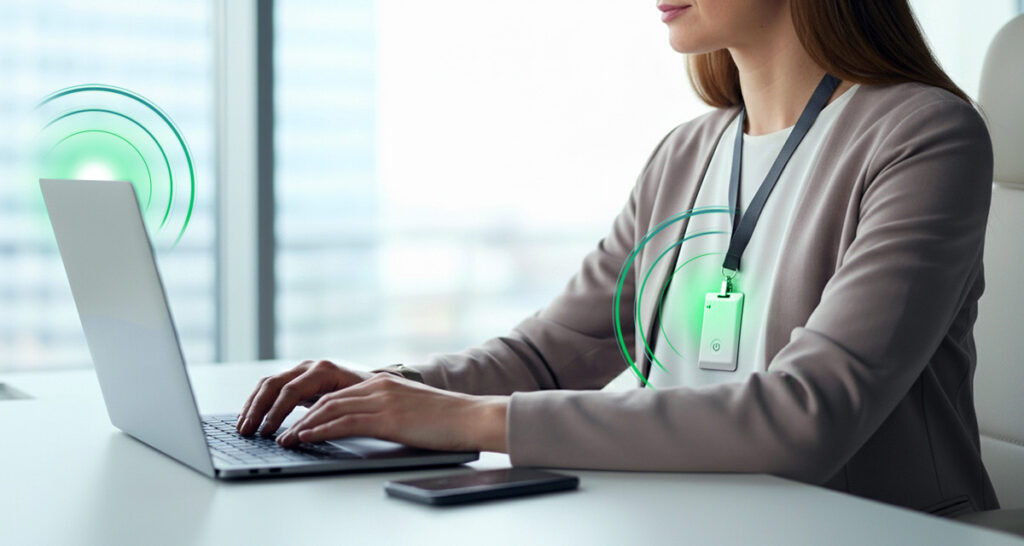
A user signs in with live biometrics, which takes about two seconds. Biometric matching happens locally, and raw biometric images are never stored or transmitted. From that point the XiFi® Card, or the user’s phone, maintains an encrypted, mutually authenticated proximity check in the background. No prompt, no code, no approval.
At roughly two seconds against the 21.59 seconds measured for password plus one-time code, that is about eleven times faster per sign-in. The multiple matters less than what sits behind it: the sign-in that used to require a password, a phone, and a code now requires a look at the camera.
The help desk side follows from the architecture rather than from better training. No user-known password exists, ever, so there is no password for a user to forget, reuse, or ask the help desk to reset. Where legacy systems such as Windows login, RDP, and LDAP still require password-format credentials, Proximia generates them automatically, and users never see or manage them.
Walk up, work. Walk away, lock. When the user leaves the configured proximity zone, the session locks within seconds, and returning requires their biometric again. See how it works.
How to model authentication TCO honestly
Build the model from the events that actually recur, not from the invoice. Four inputs cover most of the real cost, and every one of them can be pulled from systems you already run.
- Reset volume. Pull password-related ticket counts from the help desk system for the last twelve months, then apply your own loaded labor cost per ticket rather than an industry average.
- Sign-in frequency. Count sign-ins per user per day, not per week. In shared-workstation environments this number is usually far higher than IT expects.
- Time per sign-in. Use a measured figure rather than an estimate. The SOUPS 2025 study above gives defensible per-method numbers for password, one-time code, and security key flows.
- Prompt volume. Count approvals per user per day. This is the number that predicts both lost time and prompt-fatigue risk.
Two cautions worth building in. First, do not credit a platform for time savings it cannot deliver in your environment; a figure measured on knowledge workers will not transfer cleanly to a control room. Second, be skeptical of any vendor speed claim, including this one, that does not name the study, the population, and what the measurement window included. Most published authentication timing figures measure the second factor only and quietly exclude password entry.
Related reading: the operational cost of too many authenticators and our 2026 guide to multi-factor authentication.
Frequently Asked Questions
What is authentication total cost of ownership?
Authentication total cost of ownership is the full cost of running an authentication platform over its life. It includes licensing and infrastructure, and also help desk labor, enrollment and recovery support, and the working time users spend signing in. Most vendor TCO models count only licensing and infrastructure.
Why do help desk tickets stay high after moving to cloud MFA?
Because cloud delivery changes where the platform runs, not how often it prompts the user. Resets, enrollments, recovery flows, and repeated approvals all continue at the same rate. Password-related issues still account for 20 to 50 percent of help desk tickets in the average enterprise (Gartner).
We already have MFA. Does that not solve the cost problem?
MFA protects the sign-in event. It does not reduce the number of interruptions, and in most deployments it adds to them by introducing a second authenticator to enroll, carry, and recover. It also introduces its own risk: 1 in 3 users approve fraudulent MFA prompts when distracted (Microsoft Security Research).
How long does a sign-in actually take?
A five-week field study of live corporate sign-ins measured password plus one-time code at 21.59 seconds on average, and security key with biometrics at 16.54 seconds (Lassak et al., SOUPS 2025). Be careful with published figures that look faster: many measure the second factor only and exclude password entry entirely.
Does removing prompts weaken security?
No, provided the prompt is replaced by something stronger rather than by nothing. Proximia verifies the user with live biometrics at sign-in, then confirms continuous presence through the XiFi Card or phone for the length of the session. Proximity alone never grants access, and the session locks automatically when the user walks away.
See what removing the prompt actually costs you
Pull your password-related ticket count for the last twelve months and multiply it by your own loaded cost per ticket. That single number is usually larger than the licensing difference between any two platforms on your shortlist.
Schedule a demo at proximia.com/contact to see persistent, presence-aware authentication running on a shared workstation.