
TL;DR
Most MSPs rely on outdated authentication — passwords, basic MFA, and point-in-time login checks that leave sessions unprotected. This guide gives businesses the questions to ask their MSP to evaluate whether their IAM approach is truly modern, and explains what best-in-class authentication looks like today: passwordless, persistent, and presence-aware.
In today's digital-first landscape, MSP identity and access management has become one of the most critical — and most overlooked — factors in business cybersecurity. With cyber threats constantly evolving, businesses can no longer rely on traditional security measures, especially when your workforce's identity and access is managed or advised by a third-party Managed Service Provider (MSP).
As the first authentication platform to deliver persistent, presence-aware authentication, Proximia believes that businesses should be asking their MSPs essential questions to ensure their data security standards align with the latest innovations in IAM and cybersecurity.
Understanding Identity and Access Management (IAM)
At its core, IAM is about ensuring that only the right individuals have access to the right resources, at the right time, for the right reasons. However, most businesses today rely on outdated IAM protocols like traditional passwords and basic Multi-Factor Authentication (MFA) for verification. Although familiar, these methods fall short in adequately protecting sensitive data.
Modern IAM must be agile, persistent, and rooted in a zero-trust framework. Here’s why:

Passwordless Authentication
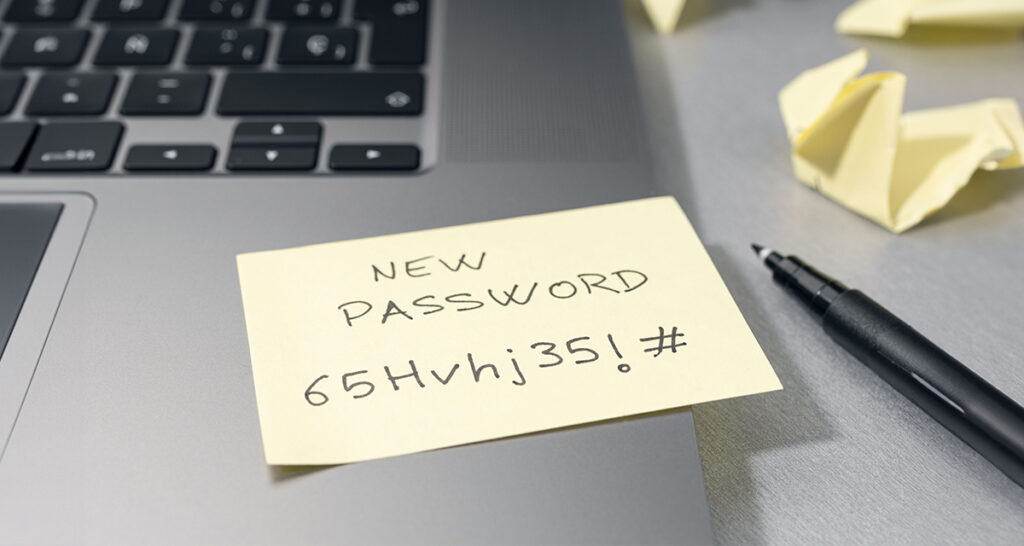
Passwords are often a weak link in data security. Not only are they susceptible to being stolen, but they also place an unnecessary burden on users and IT teams due to resets and management. Passwordless authentication — using biometrics and proximity-based verification — is faster and significantly more secure.
Zero Trust
Adopting a zero-trust model means that no device or user is inherently trusted. Instead, each user and device must be verified at every access point. This constant vigilance is crucial to reducing risks associated with lateral movement in the event of a breach.

Persistent Authentication
Static, one-time authentication checks are no longer enough. Persistent, presence-aware authentication continuously verifies that the right user is still physically present throughout their entire session, locking instantly if they step away.
Is Your MSP’s Authentication Model Enough?
Traditional authentication models—such as static passwords and one-time MFA—are increasingly ineffective against today’s sophisticated cyber threats. Many MSPs rely on familiar, long-standing models and solutions, which can feel secure but often lock clients into outdated paradigms. This can leave data vulnerable to credential-based attacks, phishing, and brute force.
Instead, evaluate whether your MSP supplies and recommends solutions that include the following:
- Zero Trust IAM Principles: Zero Trust is not just a trend; it's essential. An MSP that upholds Zero Trust principles will continuously validate both user identity and device presence. For example, Proximia's solution uses biometric verification and Live Proximity sensing to ensure users are authenticated not just at login, but continuously throughout their session.
- True Passwordless Authentication: Not all passwordless solutions are created equal. While some rely on a "login once and forget it" model, Proximia takes a layered approach. By utilizing biometric verification and mutual trust validation, we provide a seamless, secure environment that eliminates reliance on static credentials — and unlike systems that stop at login, Proximia protects the entire session.
- Persistent Security Monitoring: Many traditional IAM setups leave blind spots after the initial login, which aren't equipped to handle sophisticated, mid-session attacks. Persistent authentication fills these gaps by continuously verifying user identity, ensuring that sessions remain secure from start to finish.
Assessing Your MSP’s IAM Technology
 If your MSP isn’t leveraging advanced IAM technologies, it’s time to evaluate their approach to identity and access management. Here are specific areas to discuss:
- Biometric Verification and Live Proximity: Does the technology support biometrics in a way that persistently verifies identity during the entire session? Proximia requires two factors: a biometric (webcam or phone) and a proximity device — either a XiFi Card or phone. No personal device required, making it ideal for regulated environments where phones aren't permitted. Once verified, Proximia revalidates identity continuously through Live Proximity sensing and mutual trust..
- Device-Agnostic, Multi-Environment Security: Your MSP's recommended solutions should support secure access across various devices, operating systems, and usage scenarios. Proximia's compatibility across Windows, shared and assigned workstations, and remote setups meets the needs of today's distributed workforce.
- Legacy System Security: Does the IAM solution extend protection to legacy systems that can't support modern protocols like OAuth or SAML? Proximia extends secure, passwordless authentication to legacy Windows environments, ensuring users never know, manage, or enter a password.
- Compliance and Regulatory Support: Industries with complex regulatory requirements need IAM solutions that meet compliance standards. Proximia is SOC 2 Type II certified and HIPAA compliant, with audit-ready immutable logs that support compliance across regulated industries.
Best Practices: What Modern IAM Should Look Like
Whether you're evaluating your current MSP or selecting a new one, these are the IAM standards your business should hold them to:
- Authentication shouldn't stop at login.
The most common security gap isn't at the front door — it's everything that happens after. Modern IAM must continuously verify that the right person is still present throughout their entire session, not just at the moment of sign-in. - Passwords should be invisible to users.
True passwordless doesn't mean "use your phone instead of a password." It means users never create, see, or manage a password — including for legacy systems. If a fallback password exists, it's a vulnerability. - No personal device should be required.
Solutions that depend entirely on an employee's phone create gaps in regulated, high-security, or device-restricted environments. Look for solutions that offer a phone-free option — like a XiFi Card paired with a webcam — that maintains full security without requiring personal devices. - Zero Trust must be enforced continuously, not just at access points.
A Zero Trust model that only validates at login isn't truly Zero Trust. Every session should require ongoing proof that the right user is present, on a trusted device, in an appropriate context. - Compliance readiness should be built in, not bolted on.
Look for immutable audit logs, role-based access controls, and certifications like SOC 2 Type II and HIPAA compliance. Your MSP's recommended IAM tools should make compliance reporting easier, not harder. - Deployment shouldn't require a rip-and-replace.
Modern authentication platforms should integrate with Active Directory and Entra ID, support Windows environments — modern and legacy — and deploy in hours, not months.
In Summary
Before entrusting your data to an MSP, it's crucial to confirm that their IAM practices are robust, flexible, and capable of adapting to new cybersecurity threats. When an MSP's chosen technologies lack modern authentication capabilities, they leave your business exposed to risks that could otherwise be mitigated with the right IAM infrastructure. Proximia's passwordless, zero-trust, and persistent authentication model eliminates credential-based threats and protects every session — not just the point of login. It deploys in under two hours with no infrastructure overhaul, making it easy for MSPs to roll out across client environments.