
Authenticator sprawl is what happens when a workforce accumulates more authentication methods than it can manage: a phone app for one system, a security key for another, backup codes somewhere, and a password still sitting underneath as the fallback. Every method has to be enrolled, carried, replaced, and recovered. That lifecycle, not the sign-in itself, is what fills the help desk queue.
Key points
- Sprawl is a design outcome, not a user failure: systems that treat sign-in as the moment of trust need a new authenticator every time a new system is added.
- Passwordless rollouts usually add a method before they remove one, so the count goes up before it comes down.
- Four moments generate almost all the tickets: enrollment, new device, lost device, and fallback to a password.
- 1 in 3 users approve fraudulent MFA prompts when distracted (Microsoft Security Research), so sprawl is a security problem as well as an operational one.
What authenticator sprawl actually is
Sprawl is not the number of factors in a policy. It is the number of distinct things a person has to keep working. A single user can be under a two-factor policy and still carry four authenticators, because each system was rolled out separately and each one brought its own method with it.
The pattern is easy to recognise once named. A workstation uses one method. A remote desktop session uses another. A line-of-business application that predates the standards has its own. Somewhere underneath all of it, a password still exists as the recovery path, because something has to work when the rest does not.
Nobody chose this. It accumulated, one project at a time, and each addition was individually reasonable.
Why passwordless usually adds a method before it removes one
Passwordless rollouts increase the authenticator count before they reduce it, and that is the phase most organizations are living in. The new method arrives first. The old one cannot be switched off until every system that depends on it has been migrated, which takes quarters, not weeks.
During that overlap the workforce carries both. The help desk supports both. And the recovery path still runs through whichever method is weakest, because recovery has to work when everything else has failed.
This is why "we deployed passwordless" and "our ticket volume dropped" are rarely the same quarter. The second only happens when a method is retired, not when one is added.
The four moments that actually generate tickets
Sprawl produces tickets at four predictable points. Every one of them scales with the number of distinct authenticators a person holds, which is why the count matters more than the policy.
- Enrollment. Each method has to be registered per user, and often per system. A workforce of 500 across three methods is 1,500 enrollment events before anyone has done any work.
- New device. A replacement phone or laptop re-triggers enrollment for every method bound to the old one.
- Lost or broken authenticator. This is the expensive one. It requires identity proofing by a human, because the thing that would normally prove identity is the thing that is missing.
- Fallback. When a method fails, the user falls back to the password, which is the credential the whole programme was meant to eliminate.
There is a security consequence sitting inside the operational one. Constant prompting trains people to approve without reading. 1 in 3 users approve fraudulent MFA prompts when distracted (Microsoft Security Research). Each additional authenticator adds prompts, and each prompt is another chance to approve the wrong one.
What changes when there is only one thing to carry
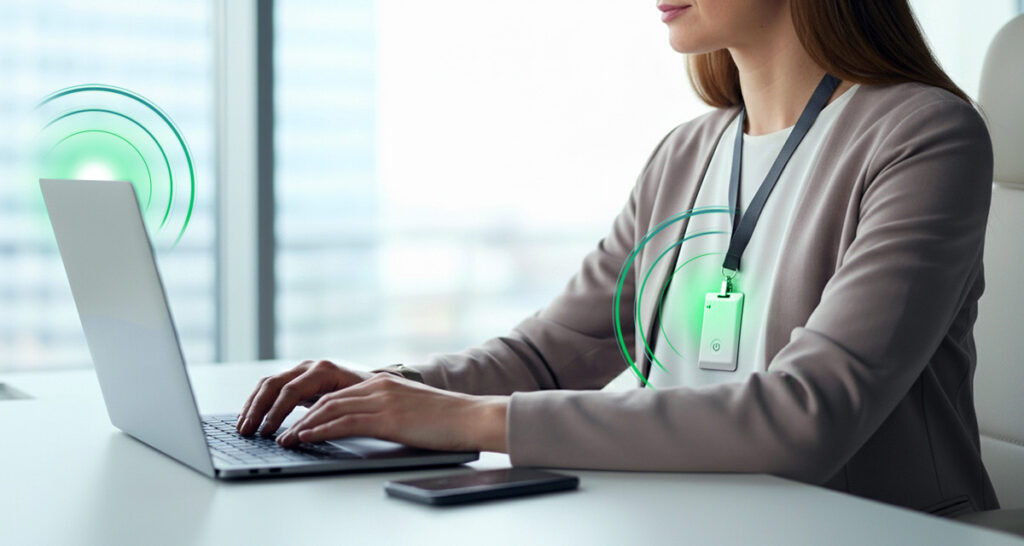
The ticket volume falls when the number of authenticators falls, not when the remaining ones get easier. Proximia® replaces the collection with a single credential the user does not manage: a live biometric at sign-in, then the XiFi® Card or the user’s phone maintaining an encrypted, mutually authenticated proximity check for the rest of the session.
Look at what that does to the four moments above. Enrollment happens once, not once per system. A replacement device is re-enrolled once. There is no backup code to lose and no authenticator app to migrate. And there is no fallback password to drop back to, because no user-known password exists, ever. Where legacy systems such as Windows login, RDP, and LDAP still require password-format credentials, the platform generates them and users never see or manage them.
Walk up, work. Walk away, lock. The session locks within seconds of the user leaving the configured proximity zone, and returning requires their biometric again.
How to measure sprawl in your own environment
You can size this in an afternoon without buying anything. Three counts tell you most of what you need.
- Authenticators per user. Not factors per policy. Count the distinct things one person must keep working, including the password underneath.
- Enrollment events per quarter. New starters, replacement devices, and role changes, multiplied by the number of methods each one touches.
- Recovery tickets per quarter. Pull the ones involving a lost, broken, or replaced authenticator specifically, separate from ordinary password resets.
The third number is the one that usually surprises people, because recovery tickets are slow, human, and hard to automate away. If you want to turn these counts into a cost figure, the method is in our piece on the hidden costs traditional authentication tools do not solve. For the coverage side of the problem, see why passwordless is not fully here.
Frequently Asked Questions
What is authenticator sprawl?
Authenticator sprawl is the accumulation of more authentication methods than a workforce can reasonably manage: a phone app for one system, a security key for another, backup codes, and a password still underneath as the fallback. It is measured by the number of distinct things a person must keep working, not by the number of factors in a policy.
Why did our help desk tickets go up after deploying passwordless?
Because most rollouts add a method before they retire one. The old method cannot be switched off until every dependent system is migrated, so during the overlap the workforce carries both and the help desk supports both. Ticket volume falls when a method is retired, not when one is added.
Which support requests does authenticator sprawl actually cause?
Four: initial enrollment, re-enrollment on a new or replacement device, recovery of a lost or broken authenticator, and fallback when a method fails. Recovery is the most expensive, because it needs a human to prove identity when the thing that would normally prove it is missing.
Is sprawl a security problem or just an operational one?
Both. Every additional authenticator adds prompts, and constant prompting trains people to approve without reading. 1 in 3 users approve fraudulent MFA prompts when distracted (Microsoft Security Research).
How does Proximia reduce the number of authenticators?
It replaces the collection with one credential the user does not manage. A live biometric at sign-in, then continuous presence verification through the XiFi Card or phone. Enrollment happens once rather than per system, and no user-known password exists as a fallback.
Count your authenticators before you buy another one
Pick one team and count the distinct authenticators each person carries, then count the recovery tickets those authenticators generated last quarter. That pair of numbers usually settles the argument faster than any vendor comparison.
Schedule a demo at proximia.com/contact to see what a single-authenticator environment looks like in practice.